
IPTV Providers: How to Choose a Reliable IPTV Provider
IPTV providers sell access to live TV channels, sports and movies over the internet. They are not all the same: some offer a free test, clear prices and real support, others take your money and disappear. Use these 9 checks to compare IPTV service providers before you pay.
What Is an IPTV Provider?
An IPTV provider is a company that streams TV channels and on-demand video to you over the internet. You pay for a subscription, receive a login or playlist link, and watch through an IPTV player app on your Firestick, Smart TV, Android device, phone or computer.
Licensed live TV services
Services such as YouTube TV, Sling TV or Hulu + Live TV carry channels under deals with the broadcasters, inside their own apps.
IPTV subscription providers
Independent IPTV service providers that send you a login for the IPTV player app of your choice, often with a larger mix of international channels.
IPTV resellers
Resellers do not run servers. They buy credits from an IPTV provider and sell subscriptions to their own customers.
9 Checks Before You Choose IPTV Providers
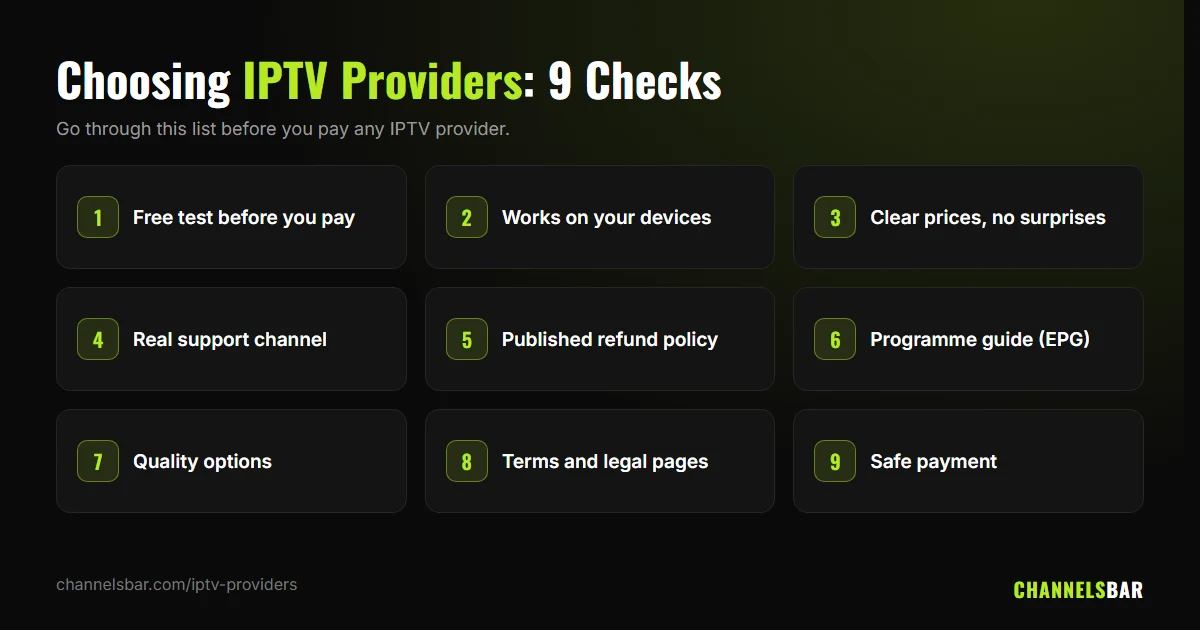
Go through this list with every IPTV provider you are considering. A good provider passes all nine without you having to chase them.
Free test before you pay
A serious IPTV provider lets you test the service on your own device first. If a provider refuses any trial, you are buying blind.
Works on your devices
Check that the provider supports your Firestick, Smart TV, Android box or phone, and which player apps they recommend.
Clear prices, no surprises
Prices for 1, 3, 6 and 12 months should be on the website. Be careful with plans that only show a price in a private chat.
Real support channel
Look for a way to reach a person, such as WhatsApp or email, and ask a question before you buy to see how fast they answer.
Published refund policy
Read the refund and cancellation policy before paying. A provider with nothing in writing gives you no protection.
Programme guide (EPG)
A working EPG shows what is on now and next. It is a quick sign that the provider maintains its channel list.
Quality options
Check which channels come in FHD or 4K, and what internet speed the provider recommends for each quality.
Terms and legal pages
Terms of service, a privacy policy and a legal disclaimer show that the provider runs a real business you can contact.
Safe payment
Prefer payment methods that leave a record. Avoid providers that only accept payment in ways you can never dispute.
Red Flags: IPTV Service Providers to Avoid
If an IPTV service provider shows one of these signs, ask more questions. If it shows two or more, look elsewhere.
A one-time fee for unlimited years of service is not realistic for a service that pays for servers every month.
If the IPTV provider has no website, prices or terms, there is nothing to hold them to later.
Huge channel counts are easy to claim. Ask for a test and check the channels you actually watch.
Together, these mean that if the service does not work for you, your money is gone.
No IPTV provider needs control of your phone or computer to set up a subscription.
IPTV Provider vs IPTV Reseller
Many websites that sell IPTV are resellers. That is not a problem in itself, but it helps to know who you are dealing with.
| IPTV provider | IPTV reseller | |
|---|---|---|
| Runs the servers | ✓ | – |
| Sells to viewers | ✓ | ✓ |
| Sets the channel list | ✓ | – |
| Sets their own prices | ✓ | ✓ |
| Who fixes stream problems | The provider | The reseller passes them to the provider |
Want to sell IPTV yourself? See our IPTV reseller packages.
How ChannelsBar Answers the 9 Checks
We are an IPTV provider too, so here is how we answer the same checklist. Test us the same way you would test any other IPTV provider.
| Check | ChannelsBar |
|---|---|
| Free test | Yes, ask for a free test on WhatsApp |
| Devices | Firestick, Fire TV, Smart TV, Android TV, iPhone & iPad, PC & Mac, MAG, Enigma |
| Prices | Standard: $9.99 / 1 month, $25.99 / 3 months, $35.99 / 6 months, $59.99 / 12 months. Premium from $15.99 |
| Support | WhatsApp and Contact@channelsbar.com |
| Refund policy | Published on our refund policy page |
| EPG & catch-up | EPG on all plans, catch-up TV on Premium |
| Quality | FHD, HD and SD on Standard, 4K on supported channels with Premium |
| Legal pages | Terms, privacy policy and legal disclaimer |
| Payment | Pay online for Standard plans, or order on WhatsApp |
Are IPTV Providers Legal?
IPTV itself is a legal technology. What matters is whether the provider has the rights to the channels it streams, and the rules are different from country to country. Before you subscribe to any IPTV provider, read its terms and legal pages, and check the laws where you live. You can read ours in the legal disclaimer.
IPTV Providers: Questions & Answers
What is an IPTV provider?
An IPTV provider is a company that streams live TV channels and on-demand video over the internet. You pay for a subscription and watch through an IPTV player app on your Firestick, Smart TV, phone or computer.
How do I choose between IPTV providers?
Ask each IPTV provider for a free test, check that it works on your devices, compare the published prices, and read the refund policy and terms. Then contact support with a question to see how quickly a real person answers.
Is there a difference between IPTV providers and IPTV service providers?
No. Both terms mean the same thing: a company that sells IPTV subscriptions. Some IPTV service providers run their own servers, while resellers sell subscriptions from a larger provider.
Do IPTV providers offer free trials?
Many do, usually for a few hours. ChannelsBar offers a free test on WhatsApp so you can check the channels and stability on your own device first.
How much do IPTV providers charge?
Prices vary between providers and plan lengths. At ChannelsBar, the Standard plan costs $9.99 for 1 month and $59.99 for 12 months, and the Premium plan starts at $15.99 per month.
Can I use one IPTV provider on several devices?
Yes, most IPTV providers let you install the same subscription on several devices. How many you can watch at the same time depends on the number of connections in your plan.
What should I do if my IPTV provider stops working?
Contact the provider’s support first, since many problems come from the app settings or your internet connection. If it cannot be fixed, check the refund policy you accepted when you paid.
Test Us Like Any Other IPTV Provider
Ask for a free test, check it on your own TV, then decide. No pressure, no lifetime promises.